Overview
Medicare agents lose policies for one reason more than any other: slow follow-up. A medicare agent CRM fixes this by capturing every lead the second it comes in, sorting it into a pipeline stage, and firing an automatic first response usually in under two minutes. This guide breaks down how a medicare agent CRM manages leads from first contact to closed sale, what separates real medicare agent software from a glorified spreadsheet, and what to check for before you switch.
Key Takeaways
- Most lost Medicare leads aren't lost to competitors. They're lost to slow response time.
- A medicare agent CRM automates the first text, sorts leads by stage, and keeps every call, text, and email in one thread.
- A true medicare insurance CRM is built HIPAA-compliant, with a signed BAA not bolted on later.
- Agencies and FMOs need an insurance agency CRM with downline visibility, not five separate logins.
- The agents writing the most policies aren't working harder. They're working one system instead of six.
Your Leads Aren't Cold. They're Just Ignored
Picture this. A 68-year-old prospect fills out a form at 9:47 PM asking about Medicare Advantage plans in her area. She's wide awake, curious, and ready to talk — exactly the kind of lead a medicare agent CRM is built to grab before anyone else does.
You see the lead at 7:15 AM the next morning.
By then, she's already spoken to two other agents. Maybe she picked one. Maybe she forgot why she even filled out the form. Either way, that lead is gone, and it didn't have to be.
This is the daily reality for thousands of agents still running their book off sticky notes, a spreadsheet, and a phone full of missed calls. It's not a hustle problem. It's a system problem. And a medicare agent CRM exists to solve exactly this.
Why Leads Slip Through the Cracks Right Now
Here's the math nobody likes to admit: response speed decides more deals than pitch quality does.
A lead that gets a reply within two minutes is dramatically more likely to book an appointment than one that waits even ten. Past that, interest drops fast. People move on, call another number, or just stop answering.
Without a system built for speed, every lead depends on you personally being free, awake, and at your desk the moment it lands. That's not a business. That's a coin flip.
Old-School Tracking vs. a Medicare Agent CRM
| What You're Doing Now | What a Medicare Agent CRM Does |
|---|---|
| Sticky notes and a notebook | Visual pipeline with drag-and-drop stages |
| Manually texting each new lead | Auto-text fires in under 2 minutes |
| Calls, texts, emails in three different apps | One thread per client, every channel |
| "I'll call them back later" | Follow-up sequences that fire on autopilot |
| Guessing who to call today | Smart lists sorted by stage, tag, or carrier |
Spreadsheets don't forget to follow up. People do. That's the entire case for switching, in one sentence.
What a Medicare Agent CRM Actually Does With Your Leads
Step 1: It Catches the Lead Instantly
The moment someone fills out a form, calls, or texts, a medicare agent CRM logs it and starts the clock. No lead sits unseen in an inbox overnight.
Step 2: It Replies Before You Even See It
Automated sequences send a first text or email within minutes, whether you're with another client, asleep, or on the golf course. The prospect feels heard immediately, not hours later.
Step 3: It Sorts the Lead Into a Stage
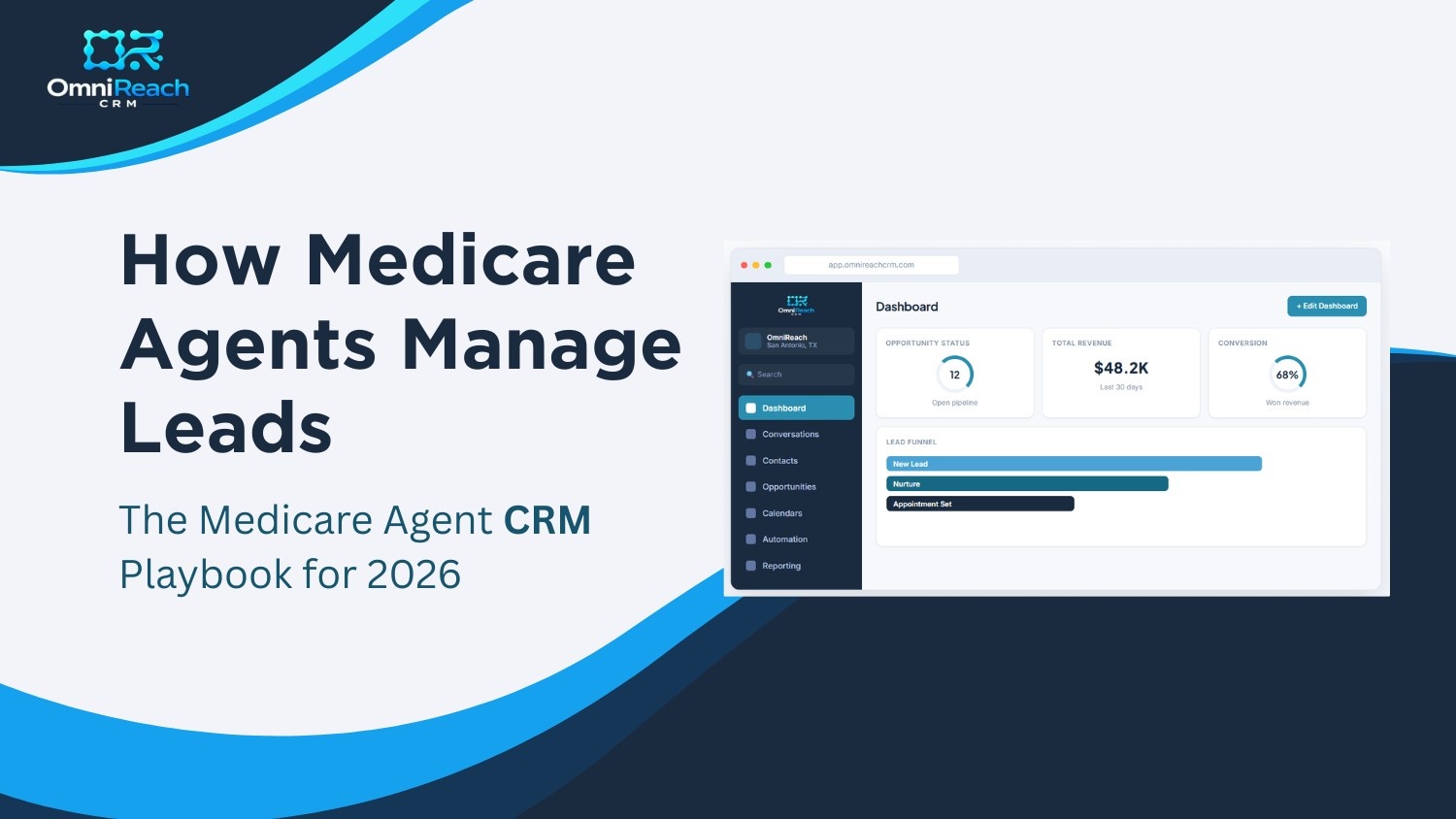
New Lead, Nurture, Appointment Set, Sold. Each opportunity sits on a board, sorted by where it actually is in your sales process. No more digging through old texts trying to remember who said what.
Step 4: It Books the Appointment For You
A self-booking calendar link lets the prospect pick a time without three rounds of "does Tuesday work?" texts. Fewer no-shows. Less back-and-forth.
Step 5: It Keeps the Whole Conversation in One Place
Call notes, text threads, and emails all live on one timeline per client. Walk into every call already caught up, even if it's been three weeks.
Medicare Agent Software vs. Generic Sales Tools
Plenty of generic CRMs claim they work for insurance. Most weren't built for it.
True medicare agent software comes with pipelines already shaped for MA, MAPD, and Supplement sales — not a blank template you have to build from scratch over a weekend. It also handles something a generic CRM usually skips entirely: HIPAA compliance.
If you're texting or emailing clients about health coverage, that conversation touches protected health information. Generic sales software wasn't built with that risk in mind. A proper medicare insurance CRM comes with encryption, audit logs, role-based access, and a signed BAA from day one, not as an expensive add-on you find out you need after a compliance scare.
Built for Solo Agents & for Teams Running an Insurance Agency CRM
Solo producers and agency owners need different things from the same system.
A solo agent mostly needs speed: catch the lead, respond instantly, book the appointment, move on. One login, no admin overhead.
An FMO or agency owner needs visibility across an entire downline — who's converting, who's sitting on cold leads, whose pipeline is stuck. That's where an insurance agency CRM earns its keep: shared automations, one compliance standard across every agent, and a dashboard that shows the whole team's pipeline at a glance instead of chasing ten separate spreadsheets.
Whether you're writing your first hundred policies or running 300 agents, the underlying need is the same: one system, not six.
What to Check Before You Pick a Medicare Insurance CRM
| Feature | Why It Matters |
|---|---|
| HIPAA compliance + signed BAA | Protects your license and your clients |
| Pre-built Medicare pipelines | No setup headaches, plug in and sell |
| Automated speed-to-lead texting | Replies before the lead goes cold |
| One inbox for calls, texts, emails | Never lose context mid-conversation |
| Self-booking calendar | Cuts no-shows, kills the back-and-forth |
| Real human support, not just a bot | Someone you can actually reach at 9 PM |
Where Most Agencies Lose Leads (A Quick Breakdown)
Most commonly:
- A large share of lost leads disappear during the first-response window, simply because no one replied within the first few minutes.
- Another significant portion go cold during manual follow-up, when a callback gets forgotten or delayed.
- The rest fall apart from no-shows on appointments that had no reminder system in place.
Two out of three of those problems disappear the moment automated follow-up and a self-booking calendar enter the picture. That's not a small fix. That's most of your leak, patched.
The Bottom Line
A medicare agent CRM isn't an upgrade you "get to eventually." It's the difference between leads that turn into appointments and leads that quietly disappear while you're busy doing the job you actually signed up for: talking to people, not chasing them.
The agents pulling ahead this year aren't smarter or working longer hours. They're running one connected system instead of six disconnected tools, and it shows up directly in their close rate.
Stop Losing Leads You Already Paid For
Every lead you bought and never followed up fast enough is money you already spent and didn't collect on. That's the part that should sting.
OmniReach was built for exactly this problem: pre-built Medicare pipelines, automatic two-minute follow-up, one inbox for every conversation, and HIPAA compliance baked in from day one. No six-tool juggling act. No leads going cold overnight.
The agents who switch this month start closing the leads they were already losing, starting with the next one that comes in. Book your free demo with OmniReach and see your exact pipeline running inside the platform before you commit to anything.
Start Closing More Medicare Policies
See pre-built Medicare pipelines, automatic follow-up, and compliant client communication — all in one login. Request a free demo today.
Book a Free Demo →Frequently Asked Questions (FAQs)
How fast should a Medicare lead get a response?
Under two minutes, ideally. Interest drops sharply after the first few minutes, and a competing agent is often just one call away. Automated first-response texts close this gap without you lifting a finger.
Is a medicare agent CRM actually HIPAA compliant, or is that just marketing?
A real medicare insurance CRM is built compliant from the ground up, with encrypted messages, audit trails, role-based access, and a signed BAA included. Ask to see the BAA before you sign up anywhere.
Can I use a medicare agent CRM if I'm not technical at all?
Yes. The good ones are built around drag-and-drop pipelines and templates you can use immediately, with live chat support for anything that trips you up.
What's the real difference between medicare agent software and a regular CRM?
Pre-built Medicare-specific pipelines, HIPAA compliance, and follow-up automation tuned to insurance sales cycles — not a blank generic template you have to build yourself.
Do FMOs and agencies need something different from solo agents?
Mostly the same core system, plus downline visibility. An insurance agency CRM lets owners see every agent's pipeline and share automations across the whole team from one place.