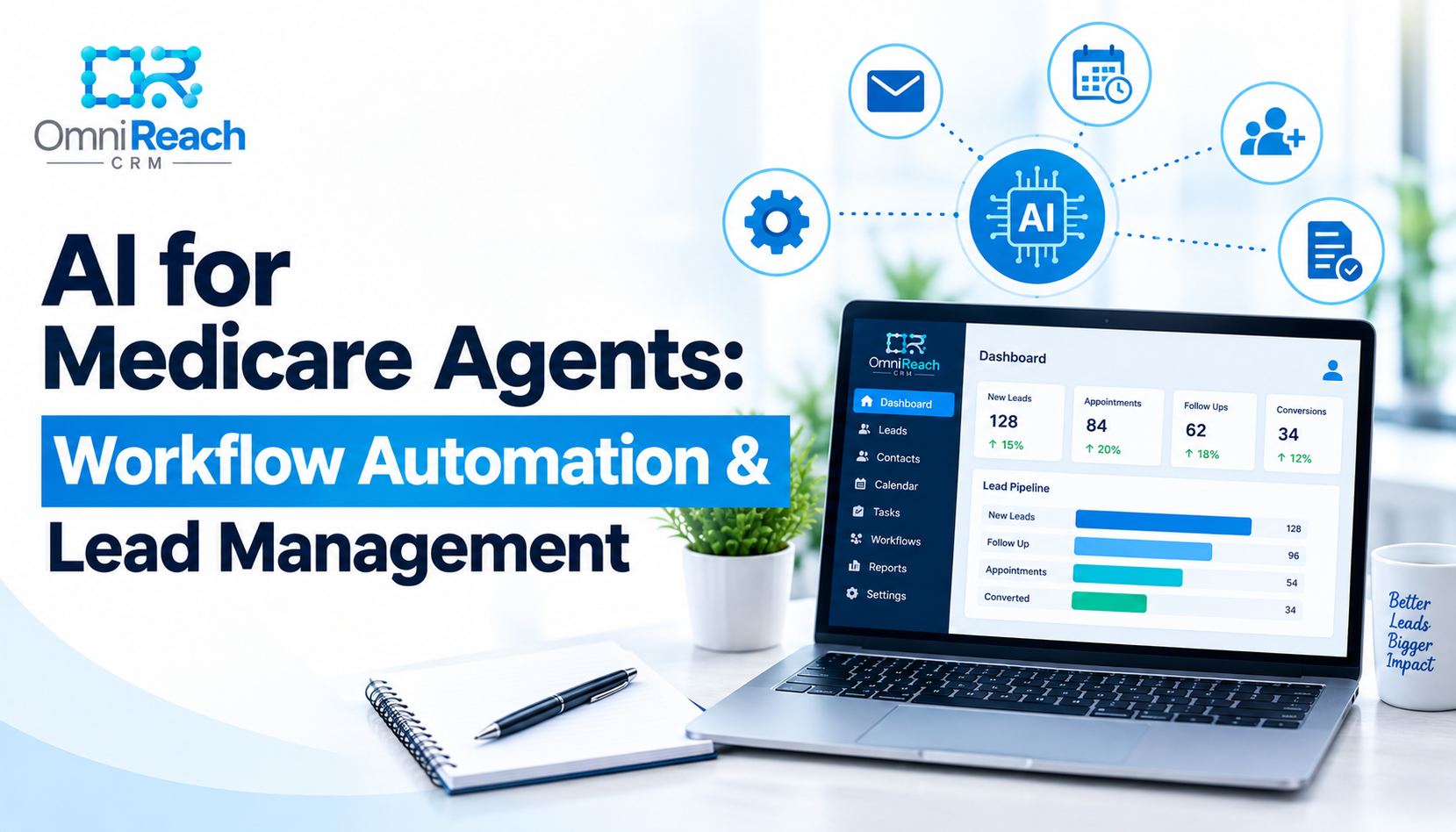
Quick Answer: AI for Medicare agents assists with administrative tasks, drafting content, organizing follow-ups, and structuring workflows. Paired with Medicare workflow automation, it streamlines repetitive operations while preserving the critical human relationship needed for client consultations and compliance oversight.
- AI is an assistant for Medicare agents, not a replacement for human relationships and decision-making.
- Medicare workflow automation handles rule-based sequences, like lead distribution and follow-up reminders.
- AI can assist in drafting marketing content, organizing tasks, and mapping CRM workflows.
- Compliance with CMS, carrier guidelines, TCPA, and HIPAA remains mandatory when using AI and automation tools.
- OmniReach provides dedicated Medicare insurance workflows and AI-assisted support to optimize agent efficiency.
If you're a Medicare agent, you've probably noticed something: there never seems to be enough time in the day.
There are leads to follow up with, appointments to schedule, client questions to answer, records to organize, marketing content to review, and workflows to keep moving. Then AEP arrives, and suddenly that workload gets even heavier.
This is where AI and automation can help.
But there's an important distinction. AI isn't here to replace the Medicare agent. And a CRM automation isn't the same thing as artificial intelligence.
Used properly, these technologies can take repetitive work off your plate, help organize information, and make your day-to-day process more consistent. The agent still makes the decisions, handles the important conversations, and remains responsible for following applicable Medicare, carrier, state, privacy, and communications requirements.
So, what does AI for Medicare agents actually look like in practice?
Let's break it down.
What Is AI for Medicare Agents?
AI for Medicare agents means using artificial intelligence tools to assist with tasks that traditionally require significant amounts of manual work.
Depending on the tool, AI may help with things such as:
- Drafting or improving written communications
- Summarizing information
- Organizing information into a more usable format
- Generating ideas for educational content
- Helping users navigate software
- Analyzing information or identifying patterns
- Supporting repetitive administrative tasks
Automation is a little different.
Medicare workflow automation uses predefined rules and triggers to move a process forward automatically.
For example:
A new lead enters the CRM → the lead is added to the appropriate pipeline → a follow-up task is created → an appointment link is sent according to the configured workflow.
There's no artificial intelligence required for that sequence. It's automation following rules that someone has already established.
The distinction matters because good Medicare technology isn't necessarily about adding "AI" to everything. Sometimes a straightforward automated workflow is exactly what an agent needs.
Why Are Medicare Agents Looking at AI and Automation?
Think about everything you do repeatedly during a normal week.
You may send appointment reminders, respond to new inquiries, update pipeline stages, organize contacts, write follow-up emails, prepare educational content, and check which prospects still need attention.
None of those tasks is necessarily difficult.
The problem is that they add up.
That is where medicare automation software can become useful. Instead of relying on memory to remember every follow-up, you can build defined workflows that handle appropriate routine steps while you focus on conversations that require your attention.
The goal isn't to automate the relationship.
It's to automate the parts of the process that don't need you personally pressing the button every time.
How Can AI Help a Medicare Agent?
AI can be useful in several areas, but the safest approach is to treat it as an assistant rather than the final decision-maker.
1. Drafting Content
Writing emails, educational articles, social posts, newsletters, and other communications can take considerable time.
AI can help generate a first draft or organize ideas.
For example, an agent could use AI to turn a list of common Medicare questions into an educational article outline.
But the draft still needs human review.
That is particularly important in Medicare marketing. Information can become outdated, and communications involving Medicare products or plan-specific information may be subject to CMS, carrier, and other applicable requirements.
AI can help you write.
It shouldn't be the person deciding whether a Medicare marketing statement is compliant.
2. Organizing Follow-Up
This is where AI and CRM automation can work particularly well together.
Imagine a new prospect comes into your system.
Instead of manually remembering what needs to happen next, your CRM can organize the lead according to your configured workflow.
For example:
New Lead → Follow-Up → Appointment → Follow-Up After Appointment → Closed
A CRM can also create tasks and reminders based on pipeline activity.
This is the foundation of effective medicare lead management: knowing where each prospect is, what has already happened, and what needs to happen next.
The more consistent that process becomes, the less likely important administrative follow-up is to depend entirely on memory.
3. Helping With CRM Workflows
AI can also be useful when you're building or improving workflows.
Suppose you have a basic new-lead process but aren't sure how to structure it.
AI can help you think through questions such as:
- What should happen when a lead enters the system?
- Which steps should be automated?
- When should a human task be created?
- What should stop an existing nurture sequence?
- How should different pipeline stages trigger different actions?
- Where should a workflow require human review?
The important part is that the agent or agency remains responsible for deciding whether the workflow is appropriate.
Technology can help organize the process. It doesn't determine your regulatory obligations.
What Does Medicare Workflow Automation Look Like?
A simple example is appointment follow-up.
A lead submits a consultation request.
Your configured workflow could:
- Create or update the contact record.
- Place the opportunity in the appropriate pipeline stage.
- Send an appropriate initial communication.
- Create an internal follow-up task.
- Provide a scheduling option where appropriate.
- Move the opportunity when an appointment is booked.
- Trigger appropriate reminders.
- Stop or change the workflow when the prospect responds or the status changes.
That last point is important.
Good automation isn't just about sending more messages.
It also knows when to stop.
If someone responds, books an appointment, opts out, or otherwise changes status, the workflow should be designed so that subsequent communications don't continue blindly.
This is one reason the Medicare workflow material recommends using stop conditions, avoiding overlapping workflows, testing new automations in small batches, and monitoring results after launch.
AI Doesn't Replace the Human Side of Medicare
Here's the part that shouldn't get lost in all the talk about AI.
Medicare is still a relationship business.
A person may have a complicated question. They may be confused about their options. They may need help understanding terminology. They may have circumstances that require careful consideration.
An automated message can't replace the conversation.
That's why the better approach is:
Automate the routine. Humanize the important.
Use technology for reminders, organization, workflow triggers, and administrative consistency.
Use your time for listening, explaining, answering questions, and helping people understand their options.
The Medicare workflow guidance makes the same point: automation should support personal interaction rather than eliminate it.
Where Does OmniReach Fit In?
This is where it's useful to separate AI from the broader CRM platform.
OmniReach is built around insurance workflows, including Medicare-focused pipelines, automated follow-up, calendars, contact organization, communications, and reporting. Its current platform also includes an AI support assistant that can help users with questions about using the platform, such as workflow setup and pipeline changes.
That doesn't mean every action inside OmniReach is powered by AI.
In many cases, automation is the more important technology.
For example, a configured workflow can handle a routine sequence without requiring an AI model to make a decision each time.
That's a good thing.
You don't need artificial intelligence to remember that an appointment reminder should be sent according to a workflow you've deliberately configured.
You need a system that can execute the process consistently.
AI, Automation, and Medicare Compliance
This is where Medicare agents need to slow down for a moment.
AI can make work faster.
That doesn't mean it makes regulatory responsibilities disappear.
CMS's Medicare Marketing Guidelines remain the primary source for general Medicare marketing requirements, and CMS publishes additional current materials for agents, brokers, plans, and other stakeholders.
So if you're using AI to create Medicare-related content, you still need to ask:
- Is the information current?
- Is the statement accurate?
- Does it involve a specific Medicare plan or benefit?
- Does the communication qualify as marketing or another regulated communication?
- Does it require carrier review or approval?
- Does it contain information that should be reviewed by a licensed agent before being sent?
- Does the communication comply with applicable federal, state, and carrier requirements?
AI should make review easier—not remove the review.
What About Permission to Contact?
Automation also doesn't create permission to contact someone.
Having a person's phone number in a CRM isn't automatically the same thing as having authorization for every type of call, text, or automated communication.
Where permission is relevant, your process should be designed to document information such as:
- How permission was obtained
- When it was obtained
- What communication method was permitted
- The scope of the permission
- The entity authorized to make the contact
- Applicable disclosures
- Opt-out information
- Other applicable federal, state, and carrier requirements
A CRM can help organize that documentation when properly configured.
It does not create consent where consent was never obtained.
What About HIPAA and AI?
This is another area where "AI makes everything easier" can become dangerous.
HIPAA is separate from Medicare marketing rules, TCPA/FCC requirements, carrier requirements, and state insurance rules.
Whether HIPAA applies depends on the organization's role, the information involved, and the specific activities and relationships.
HHS specifically recognizes that certain technology vendors—including AI tools that handle protected health information on behalf of a covered entity—can fall within the business associate framework. Applicable Business Associate Agreement requirements therefore need to be considered when PHI is involved.
The practical takeaway is simple:
Don't paste protected health information into an AI tool simply because the tool is convenient.
Before using AI with sensitive information, determine whether the tool and your organization's arrangement are appropriate for the information being processed and whether applicable contractual and security requirements have been addressed.
And remember: HIPAA compliance does not automatically equal Medicare compliance.
They're different regulatory frameworks with different requirements.
Can AI Help With Medicare Lead Management?
Yes—but think about AI and automation as two pieces of the same operational puzzle.
Strong medicare lead management starts with knowing what's happening to each lead.
A useful system should help you answer questions such as:
- Where did this lead come from?
- What stage are they in?
- When was the last contact?
- What is the next action?
- Is an appointment scheduled?
- Has the lead responded?
- Should a workflow continue or stop?
- Does someone on the team need to take action?
Automation can handle many of the predictable steps.
AI may help with analysis, drafting, organization, or other supporting tasks depending on the tools available.
But the agent remains responsible for the actual client relationship.
Three Practical Ways to Start Using AI
You don't need to build a complicated AI system on day one.
Start small.
Start With Content
Use AI to brainstorm article ideas, organize FAQs, or create first drafts of educational content.
Then review every Medicare-specific statement before publication.
Start With Workflow Planning
Ask AI to help map your process from new lead to appointment.
Then decide which steps should actually be automated.
Keep the workflow simple enough that you understand what triggers it, what it sends, and when it stops.
Start With Administrative Work
Use technology to reduce repetitive tasks such as reminders, task creation, contact organization, and pipeline updates where your CRM supports those functions.
The Medicare workflow guidance recommends starting with a manageable framework, testing workflows with a small group, monitoring results, and refining the system rather than building an overly complicated automation structure immediately.
The Best AI Strategy May Be Less AI Than You Think
Here's a funny thing about technology.
Sometimes the biggest improvement doesn't come from the most sophisticated AI tool.
It comes from finally putting your existing process into a system.
If you're still trying to remember which lead needs a call, which prospect booked an appointment, and who hasn't heard from you in two weeks, adding another AI application may not solve the underlying problem.
First, organize the process.
Then automate the repeatable parts.
Then use AI where it genuinely adds value.
That's a much more sustainable approach.
What Should Medicare Agents Look for in Automation Software?
If you're evaluating medicare automation software, don't start with the word "AI."
Start with the workflow.
Ask:
- Can the system organize Medicare leads by pipeline stage?
- Can it automate appropriate follow-up?
- Can it create reminders and tasks?
- Can it stop or change workflows when a lead's status changes?
- Can it keep communications and contact history organized?
- Can it support appointment scheduling?
- Can it provide reporting on pipeline activity?
- Can users control access appropriately?
- Can the system support documentation and operational processes without claiming to guarantee compliance?
- Can your team understand and manage the workflows after they're built?
Those questions tell you much more about whether a platform will actually help your business.
In Conclusion
AI for Medicare agents isn't about handing the business over to a machine.
It's about using technology intelligently.
AI can help with drafting, organization, analysis, and other supporting tasks. Medicare workflow automation can handle predictable processes. A CRM can bring leads, conversations, appointments, tasks, and pipeline activity into an organized system.
Together, those tools can give an agent more time to do the part of the job that technology can't replace: working directly with people.
And that's really the point.
Automate the process. Keep the human relationship. Review the compliance.
If you're looking at medicare automation software or trying to improve your medicare lead management, OmniReach gives insurance agents a platform built around the workflows they use every day, including Medicare-focused pipelines, automated follow-up, calendars, contact organization, reporting, and an AI-powered support assistant.
The goal isn't to make the agent unnecessary.
It's to make the agent's time more useful.
Ready to Automate Your Medicare Workflows?
OmniReach CRM helps Medicare agents and FMOs automate lead follow-up, manage appointments, and stay compliant. Schedule a demo today.
Request Demo →