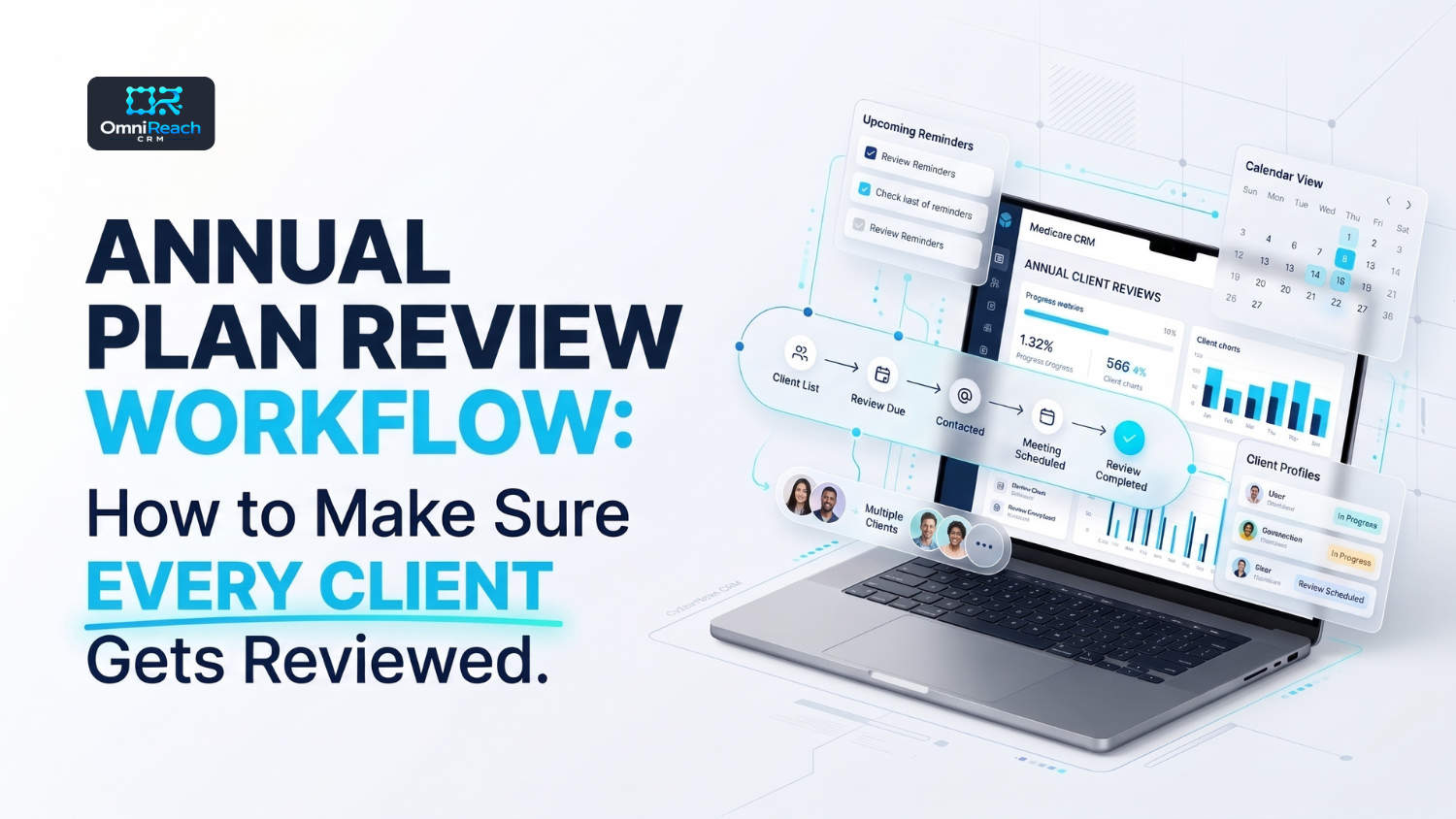
Overview
An annual plan review is an important part of managing a Medicare book of business. But when you're working with dozens—or hundreds—of clients, keeping track of every review can become difficult.
You might remember to contact the clients who enrolled recently. You might have a spreadsheet with renewal dates. And you might even have calendar reminders set up.
But what happens when a client's record is incomplete, a review gets rescheduled, or a reminder gets buried during AEP?
That's where a consistent annual plan review workflow can make a difference.
Instead of relying on memory, Medicare agents can use a repeatable process to identify clients who need attention, organize their information, schedule appropriate reviews, document conversations, and track next steps.
A CRM can help make that process more manageable. The goal isn't to automate every conversation. It's to make sure every client has a clear place in your review process—and that no important follow-up gets overlooked.
Let's walk through how to build an annual plan review workflow that works throughout the year.
Key Takeaways
- An annual plan review workflow helps Medicare agents organize recurring client reviews.
- A centralized client record makes it easier to prepare for conversations.
- Review reminders should be based on dates, client records, and defined workflow rules.
- A scheduled reminder does not automatically authorize a marketing call, text, or email.
- Agents should document review outcomes, unresolved questions, and follow-up tasks.
- A Medicare CRM can help track review status, renewal dates, and outstanding tasks.
- Automation can support the process, but agents remain responsible for appropriate client communication and compliance.
Why Do Medicare Agents Need an Annual Plan Review Workflow?
Managing a Medicare book of business doesn't end after enrollment.
Clients may have questions, their circumstances may change, and plan information may be updated from one coverage year to the next. Agents need a reliable process to identify when a review is due and determine the appropriate next step.
Without a workflow, annual reviews can become reactive.
An agent might reach out only when a client calls with a question. Another client might not receive a review reminder until the Annual Enrollment Period is already underway.
A structured process helps address several common problems:
1. Missed Review Opportunities
When review dates live in spreadsheets, calendars, or handwritten notes, it's easy for a client to slip through the cracks.
A workflow gives every client a review status, such as:
- Review not yet due
- Review reminder due
- Contact pending
- Appointment scheduled
- Review completed
- Follow-up required
These statuses help agents identify what needs attention without reviewing every record manually.
2. Incomplete Client Records
Imagine preparing for a client conversation and realizing you can't find the last review date, the policy information, or the notes from the previous discussion.
That's frustrating for both the agent and the client.
A centralized Medicare client management system can help organize policy details, review history, notes, and next steps in one place.
3. Inconsistent Follow-Up
Some clients may need a follow-up conversation. Others may need an answer to a question or additional documentation.
Without a task-based process, those next steps can be forgotten.
A consistent workflow makes it easier to record what happened and assign the appropriate follow-up.
The Five Steps of an Effective Annual Plan Review Workflow
A practical annual review process can be divided into five steps: identify, prepare, contact, document, and follow up.
Step 1: Identify Which Clients Need a Review
Start by organizing your book of business.
The first step is to determine which clients are due for an annual review and when their next review should be scheduled.
Useful client record fields may include:
- Client name and contact information
- Current policy or plan information
- Carrier
- Coverage effective date
- Last review date
- Next review date
- Assigned agent
- Review status
- Outstanding follow-up tasks
The exact fields you need will depend on your agency's process and the information you are permitted to maintain.
Once these fields are organized, you can create a list of clients whose review dates are approaching.
For example, you might create a saved list for:
- Clients whose annual review is due within the next 60 days
- Clients who have not had a review recorded in the past 12 months
- Clients whose review is scheduled but not yet completed
- Clients who need follow-up after a previous review
This is where Medicare client management becomes more than simply storing contact information. It becomes a process for identifying the next action.
Step 2: Prepare Before the Client Review
A review is more productive when the agent has the relevant information ready before the conversation.
Instead of opening a client record during the call and searching through old notes, use a preparation checklist.
Before the review, confirm:
- The client's current policy information is available.
- The previous review date and notes are recorded.
- The client's assigned agent is correct.
- Any outstanding service tasks are visible.
- The appropriate review materials are available.
- The communication method and purpose are appropriate under applicable requirements.
You can also create an internal task a few days before a scheduled review.
For example:
Task: Prepare for annual client review
Due Date: Three business days before the appointment
Checklist: Review client record, confirm policy details, review previous notes, prepare approved materials.
This simple step can help agents enter each conversation with better context.
Step 3: Schedule and Conduct the Review
Once the client has been appropriately contacted and agrees to a review, schedule the appointment.
A CRM calendar can help agents keep track of:
- Scheduled review appointments
- Appointment dates and times
- Assigned agents
- Rescheduled appointments
- Review completion status
During the review, the agent can follow an established checklist.
A general review checklist may include:
- Confirm the client's current information.
- Ask whether anything relevant to the review has changed.
- Review the client's current plan information.
- Explain applicable plan information using approved materials.
- Answer questions within the scope of the appointment.
- Discuss available options when appropriate and permitted.
- Record any requested follow-up.
The discussion should be based on the client's circumstances and the applicable Medicare marketing and enrollment requirements.
Remember: a review appointment is not a reason to pressure a client into making a change. The client should have the information needed to make their own decision.
Step 4: Document the Review Outcome
After the review, update the client record.
This is one of the most important parts of the workflow.
If the conversation happened but the CRM still shows “Review Pending,” the system will not accurately reflect the client's status.
Document the review outcome using consistent dispositions, such as:
| Review Outcome | What It Means |
|---|---|
| Completed – No Further Action | Review completed and no follow-up task identified |
| Completed – Follow-Up Required | Review completed but another action is needed |
| Appointment Rescheduled | Review has a new appointment date |
| Unable to Reach | Appropriate contact attempt was made, but the client was not reached |
| Client Declined Review | Client declined the review |
| Pending | Review has not yet been completed |
The exact labels can vary by agency.
The important thing is that every agent uses the same definitions.
A standardized review status makes it easier for an agency owner or FMO to understand which clients have been reviewed and which records still need attention.
Step 5: Create and Track Follow-Up Tasks
Some annual reviews will require additional work.
For example, a client may have a question that needs to be researched or request another conversation.
Instead of leaving that information in a note, create a task with a clear owner and due date.
A follow-up task should ideally include:
- Client record
- Task description
- Assigned agent
- Due date
- Priority, if applicable
- Task status
- Relevant notes
The task should remain open until the required action is completed or appropriately resolved.
This is where a CRM-based annual review workflow can help agents avoid relying on memory.
How to Build an Annual Review Workflow in a Medicare CRM
Now that we've covered the review process, let's look at how you can organize it inside a CRM.
The workflow can be structured around dates, statuses, and internal tasks.
Example Annual Plan Review Workflow
| Workflow Stage | CRM Action | Agent Responsibility |
|---|---|---|
| Review date approaching | Add client to review-due list | Check record and determine appropriate next step |
| Review preparation | Create internal preparation task | Review client information |
| Appropriate contact | Record contact activity | Confirm the communication is permitted |
| Appointment scheduled | Add appointment to calendar | Conduct the review |
| Review completed | Update review status | Document outcome |
| Follow-up required | Create task with due date | Complete the required action |
| Review closed | Update record and next review date | Confirm documentation is accurate |
This structure helps make the process repeatable.
The CRM can support the workflow by organizing records, generating internal reminders, and displaying review status. However, the agency should configure any outbound communication according to applicable CMS, carrier, privacy, TCPA, FCC, and state requirements.
An internal reminder to an agent is different from an automated marketing message to a beneficiary.
How Can Automation Help Medicare Agents Keep Reviews on Track?
Automation can help reduce repetitive administrative work.
For example, a CRM may be configured to:
- Create an internal task when a review date approaches.
- Add clients to a saved review-due list.
- Notify the assigned agent when a review is overdue.
- Create a follow-up task after a review is completed.
- Update review statuses when the agent records an outcome.
- Generate reports showing pending and completed reviews.
The key is to use automation to support the agent's process—not to replace the agent's judgment.
Use Internal Reminders First
Internal reminders are a useful starting point.
For example, a workflow might create an internal task 30 days before a client's review date.
The agent can then check the record and determine whether an appropriate contact is permitted.
This approach helps keep the process organized without assuming that a scheduled review date creates permission for an automated call, text, or email.
Avoid Overlapping Workflows
If multiple workflows are running at the same time, a client might receive unnecessary or repetitive communications.
For example, a client could be included in a general annual review sequence and a separate renewal campaign.
To prevent this:
- Review the conditions that trigger each workflow.
- Use consistent client statuses.
- Check for duplicate tasks.
- Add appropriate suppression conditions.
- Test workflows with sample records before launching them.
A well-organized workflow should make the process easier—not create more administrative work.
How to Track Annual Review Progress Across Your Book of Business
If you manage a large client book, it's useful to monitor review progress at the agency level.
A simple dashboard or report can help you answer questions such as:
- How many clients are due for a review?
- How many reviews have been completed?
- How many appointments are scheduled?
- How many clients still need appropriate contact?
- How many reviews have outstanding follow-up tasks?
- Which agents have the most pending reviews?
You can also compare review activity over time.
For example, an agency may monitor monthly review completion rates to identify bottlenecks in its process.
A basic metric could be:
Completed reviews ÷ Reviews due during the reporting period × 100
Be sure to define the reporting period and what counts as a completed review consistently.
This metric can help identify workflow issues. It should not be treated as a guarantee of retention, enrollment, or compliance.
Common Annual Plan Review Workflow Mistakes to Avoid
Even a well-designed process can break down if the details are overlooked.
Here are a few common mistakes Medicare agents should watch for.
1. Relying on Memory
A client's review date should not exist only in an agent's calendar or memory.
Use a consistent record and task process.
2. Failing to Update Review Statuses
If the review is completed, update the record.
If the client reschedules, record the new date.
If follow-up is required, create a task.
Accurate statuses make reporting more useful.
3. Treating a Review Reminder as Marketing Permission
A review reminder is an internal scheduling tool.
It does not automatically authorize an outbound call, text, or email. Communication permissions, CMS requirements, carrier rules, and applicable federal and state laws still need to be considered.
4. Automating Too Much
Automation can help with internal organization, but it should not remove the agent's responsibility to determine the appropriate next step.
A workflow that sends messages without checking the applicable requirements can create unnecessary risk.
5. Not Reviewing the Workflow Itself
Your annual review process should also be reviewed periodically.
Check whether:
- Review dates are being entered accurately.
- Tasks are being assigned correctly.
- Agents are using the same statuses.
- Duplicate reminders are being created.
- Follow-up tasks are being completed.
- Reporting reflects the actual review process.
A workflow is only useful when the team consistently follows it.
How OmniReach CRM Can Support Annual Plan Reviews
Managing annual reviews across a Medicare book can become difficult when client records, policy details, appointment schedules, and follow-up tasks are spread across different tools.
OmniReach CRM is designed to help insurance agents organize client records and ongoing client-management activity in one platform.
Depending on your configuration and use of the platform, OmniReach can support workflows such as:
- Centralized Medicare client records
- Policy and renewal tracking
- Client segmentation and saved lists
- Review reminders and follow-up tasks
- Appointment tracking
- Communication history
- Client review and renewal workflows
For example, an agent may use a saved list to identify clients whose reviews are approaching, review their records, and create internal tasks for the appropriate next steps.
That can make the annual review process easier to manage without relying entirely on spreadsheets or memory.
If you're evaluating a CRM for Medicare client management, it's worth checking how the platform handles review dates, task assignment, reporting, and the communication controls your agency requires.
You can explore the OmniReach Medicare client management platform, learn more about the insurance agent CRM, or review OmniReach pricing.
In Conclusion
An effective annual plan review workflow starts with organization.
Identify which clients are due for a review. Prepare their records. Schedule appropriate appointments. Document the outcome. And create follow-up tasks whenever another action is needed.
The process doesn't have to be complicated.
A consistent workflow can help Medicare agents keep their book of business organized, maintain clearer records, and make it easier to see which clients still need attention.
A Medicare CRM can support that process through client records, review tracking, internal reminders, and reporting.
The most important part is consistency: every client should have a clear review status, and every outstanding action should have a next step.
If you're looking to organize your Medicare client reviews, consider exploring how OmniReach CRM can support your client-management workflow.
Frequently Asked Questions
What is an annual plan review workflow for Medicare agents?
An annual plan review workflow is a repeatable process for identifying clients due for a review, preparing their records, scheduling appropriate appointments, documenting outcomes, and tracking follow-up tasks.
How often should Medicare agents review their clients?
An annual review is a common client-service practice. The appropriate timing and scope depend on the client's circumstances, the agency's process, and applicable Medicare and carrier requirements.
Can a Medicare CRM automatically schedule annual plan reviews?
A CRM may be able to create internal reminders or tasks based on review dates. Whether it can schedule appointments or send communications depends on the platform and configuration. Automated beneficiary communications must still meet applicable requirements.
What should Medicare agents document after an annual review?
Agents should document the review date, relevant discussion notes, outcome, any decisions made, and outstanding follow-up tasks. Documentation should follow agency policies, carrier requirements, and applicable recordkeeping rules.
How can an agency track annual reviews across multiple agents?
An agency can use standardized review statuses, assigned-agent fields, internal tasks, and reporting to monitor pending, scheduled, completed, and overdue reviews.
Does a CRM guarantee Medicare compliance?
No. A CRM may provide tools that support recordkeeping and workflow organization, but compliance depends on the agency's practices, configuration, training, communications, and adherence to applicable requirements.
How can OmniReach CRM help with annual plan reviews?
OmniReach offers Medicare client management capabilities that can help agents organize client records, track review and renewal activity, manage lists, and coordinate follow-up tasks. Agencies should verify the features and configuration that meet their specific workflow requirements.
See How OmniReach Supports Annual Plan Reviews
OmniReach CRM helps Medicare agents organize client records, track review status, manage follow-up tasks, and keep their book of business on schedule—all in one platform. Book a 20-minute demo to see how it works.
Book a Free Demo →