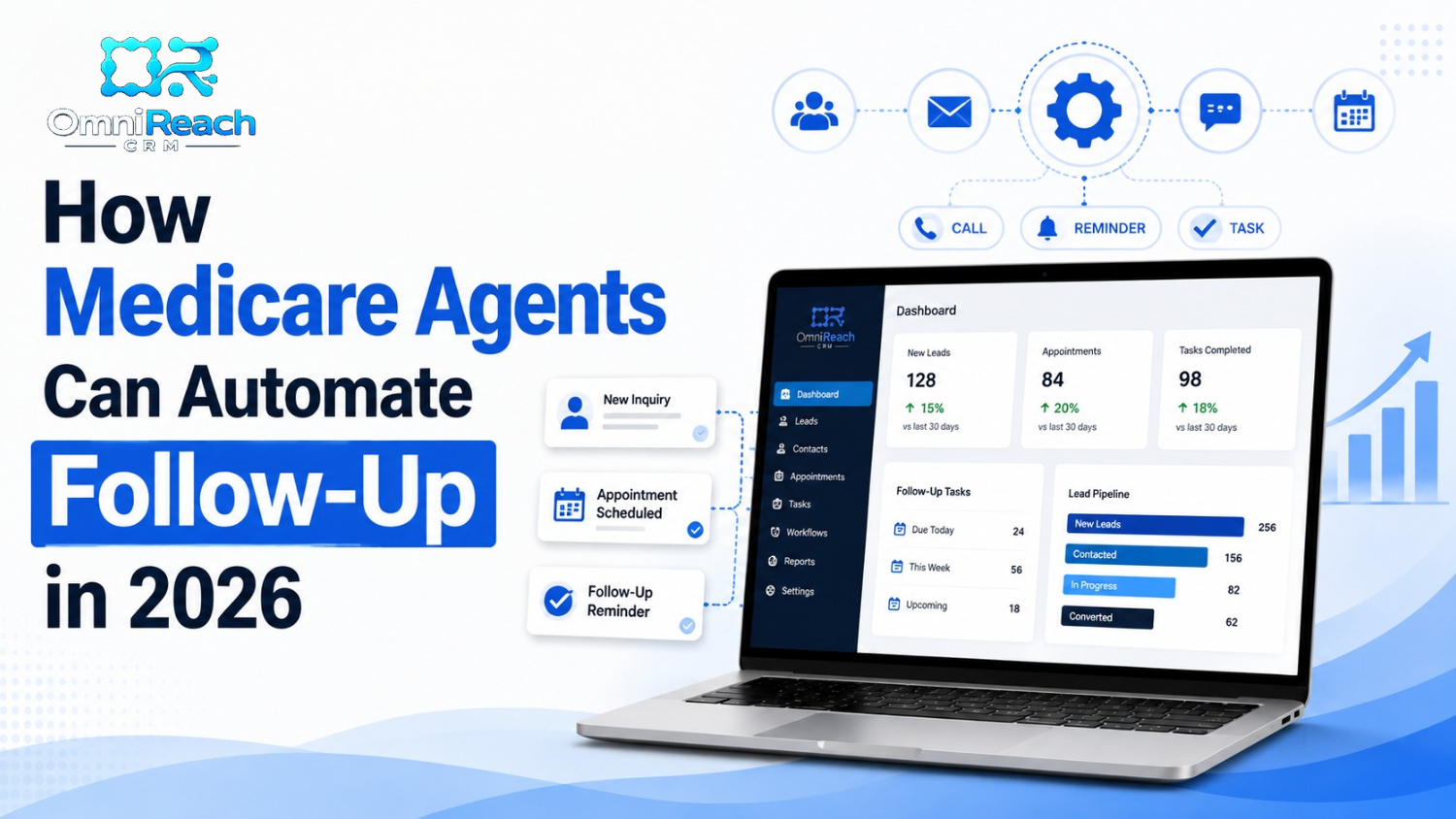
Following up with every Medicare lead by hand can become difficult as your pipeline grows. Medicare workflow automation can handle repetitive administrative tasks such as creating follow-up reminders, organizing new inquiries, tracking appointments, and surfacing important dates so fewer tasks depend on memory.
The important part is knowing where automation ends and agent judgment begins.
Automated calls, texts, and marketing communications must still follow applicable Medicare, carrier, privacy, TCPA, and FCC requirements. A well-designed workflow should make compliance easier to manage—not assume that automation makes a communication permissible.
The goal isn't to replace the conversation.
It's to make sure the right task is in front of the right person at the right time.
- Manual follow-up becomes harder to manage as the number of active prospects and clients increases.
- A CRM can help organize new inquiries, follow-up tasks, appointments, annual reviews, and other recurring activities.
- AEP can make an organized workflow especially valuable because agents may be managing significantly more activity.
- Automated texts and calls require appropriate consent and must comply with applicable TCPA, FCC, Medicare, carrier, and privacy requirements.
- Automation should handle appropriate administrative tasks while the licensed agent remains responsible for beneficiary conversations and decisions.
- The best Medicare automation software is not necessarily the system with the most automated messages. It is the system that helps organize work while giving the agency appropriate control over communications and compliance.
Why Manual Follow-Up Breaks Down, Even for Organized Agents
You tell yourself you'll follow up with that lead after your next appointment.
Then the appointment runs long.
Another client calls.
An application needs attention.
Before you know it, the follow-up that seemed urgent earlier in the day has moved to tomorrow.
Nobody plans to lose track of a lead. It can simply happen when timing-sensitive work depends entirely on memory.
That is where Medicare workflow automation can help.
Instead of asking an agent to remember every next step, the CRM can organize the process. A new inquiry can create a task. An appointment can generate a reminder. A lead that needs additional attention can appear in a follow-up queue.
The technology handles organization.
The agent handles the relationship.
What Is Medicare Workflow Automation?
Strip away the buzzwords and the concept is fairly simple.
Medicare workflow automation means using a CRM or other technology to perform predefined administrative actions when certain events occur.
For example:
- A new inquiry enters the CRM.
- The appropriate agent receives an internal notification.
- A follow-up task is created.
- An appointment is added to the calendar.
- A reminder task appears before the appointment.
- A client review date is recorded.
- A follow-up activity is assigned for a future date.
Some systems can also send emails, texts, or make calls automatically.
That is where additional compliance considerations come into play.
An automated communication is still a communication. The fact that software sends it instead of a person does not remove the requirements that may apply to the communication.
The Follow-Up Moments Worth Automating First
Not every part of Medicare sales and service needs to be automated.
In many agencies, the better approach is to automate the repetitive administrative steps first.
1. New Lead Organization
When a new lead arrives, the CRM can immediately record the inquiry and notify the appropriate agent.
The system can also create a follow-up task so the agent knows what needs attention.
If the workflow includes an automated text or email, the agency should first verify that the applicable consent, Medicare marketing, carrier, privacy, TCPA, and FCC requirements have been satisfied.
Speed matters operationally.
Compliance still matters more than speed.
2. Age-In-65 Workflow Management
Turning 65 creates a predictable series of important Medicare dates.
A CRM can help agents track those dates and create reminders well before the prospect reaches an enrollment window.
That can be useful because an agent does not have to remember every birthday or manually calculate every follow-up date.
But an age-based trigger should not automatically become an unrestricted marketing campaign.
The content, audience, timing, contact method, and applicable Medicare requirements should all be reviewed before an automated communication is activated.
3. Scope of Appointment Workflow Support
Scope of Appointment, or SOA, processes require particular attention.
A CRM can help an agency organize appointment-related tasks, document information, and remind an agent about an upcoming appointment.
But the software should not be treated as a substitute for the agent's responsibility to follow applicable SOA requirements.
The system can help manage the process.
It does not determine whether an agent's actual activity is compliant.
4. Missed-Appointment Follow-Up
A missed appointment does not necessarily mean the prospect is no longer interested.
A CRM can create a follow-up task after a missed appointment so the agent knows to review the situation and determine the appropriate next step.
Some platforms can automatically send a message.
If you use that capability, the communication should be reviewed for applicable consent, contact, Medicare, carrier, TCPA, and FCC requirements.
In many cases, a simple internal reminder may be the better automation.
5. Annual Review and Client-Service Reminders
A CRM can be useful for keeping track of recurring client-service activities.
For example, an agent may want a reminder to review a client's information or contact the client at an appropriate time.
However, there is an important distinction between internal service management and marketing communication.
CMS marketing rules can apply to communications intended to influence a beneficiary's decision to stay enrolled.
So a workflow that reminds an agent to conduct a client review is different from automatically sending a retention-oriented marketing campaign.
The purpose and content of the communication matter.
6. Referral Follow-Up
Referrals can be an important source of new business, but Medicare referral activity needs to be structured carefully.
The Medicare marketing research provided for this review notes that agents can ask clients to share the agent's contact information, but should not ask clients to provide names or contact information for friends or family members for sales outreach.
A safer referral workflow is therefore one that reminds the existing client to share the agent's information rather than automatically adding a friend's phone number to a marketing sequence.
The distinction is simple:
Share my information.
Not:
Give me their information so I can call them.
What Can You Automate—and What Still Needs You?
| Follow-Up Activity | Potential Automation | Agent Responsibility |
|---|---|---|
| New inquiry | Create lead record and internal notification | Review the inquiry and determine appropriate contact |
| Follow-up | Create scheduled task | Conduct the appropriate follow-up |
| Age-in tracking | Calculate dates and create reminders | Determine appropriate communication and timing |
| Appointment | Calendar entry and internal reminders | Conduct the appointment |
| SOA process | Workflow reminders and documentation support | Follow applicable SOA requirements |
| Missed appointment | Create follow-up task | Decide whether and how to follow up |
| Annual review | Create internal reminder | Review the client's situation and communicate appropriately |
| Referral activity | Create reminder to ask for referrals | Allow the beneficiary to share your contact information |
| Marketing text | Technology may send an approved communication | Confirm applicable consent and compliance requirements |
| Automated call | Technology may initiate an approved call | Confirm applicable consent, TCPA/FCC, Medicare, and carrier requirements |
The pattern is worth remembering:
Automate the process. Don't automate away responsibility.
What About Automated Texting?
This is one of the areas where Medicare agencies should be especially careful.
It can be tempting to build a workflow that says:
New lead → immediate text → follow-up text → phone call → additional text.
But the fact that someone submitted a phone number does not automatically resolve all consent and regulatory questions.
The FCC materials provided for this review address prior express written consent requirements for covered robocalls and robotexts that solicit business. The rules include requirements concerning the seller to which consent applies and disclosures associated with the consent process.
The TCPA materials also address restrictions involving automated telephone equipment and calls to wireless numbers.
Before activating an automated texting workflow, an agency should document:
- What the consumer agreed to
- Who the consumer agreed to hear from
- What types of communications were disclosed
- When and where consent was obtained
- How opt-outs are handled
- Which technology is being used
- Which Medicare and carrier requirements apply
In other words:
Don't build the automation first and figure out consent afterward.
Build the compliance requirements into the workflow from the beginning.
What About AEP and OEP?
Medicare enrollment periods are another reason workflow design matters.
AEP runs from October 15 through December 7.
During AEP, agents may be managing a larger volume of inquiries, appointments, applications, and client questions. A CRM can help organize those activities and make it easier to identify which tasks need attention.
The Medicare Advantage Open Enrollment Period, or OEP, requires additional caution.
The Medicare marketing research supplied for this review specifically advises against targeting MA enrollees with unsolicited marketing about making changes during OEP and recommends focusing on appropriate service activity and educational content instead.
That means a workflow should not simply identify an MA enrollee as being in OEP and automatically launch a sales campaign encouraging a plan change.
Automation does not override Medicare marketing rules.
A good rule is:
Let the calendar create awareness. Let compliance determine the communication.
How to Actually Set Up Medicare Workflow Automation
The temptation is to start with a collection of spreadsheets, calendar reminders, saved text messages, and separate applications.
That can work for a while.
As activity grows, however, it becomes harder to maintain a consistent process.
A Medicare CRM can bring those activities together.
When evaluating Medicare automation software, look for capabilities such as:
- Lead-source tracking
- Pipeline management
- Task creation
- Appointment management
- Communication history
- Consent documentation
- Opt-out management
- User permissions
- Activity logging
- Reporting
- Compliance-related workflow controls
You should also be able to turn automated communications off when appropriate.
That last point is easy to overlook.
Automation should give the agency control, not take control away.
Does Medicare Automation Software Need to Be HIPAA Compliant?
This statement requires some nuance.
Whether HIPAA applies depends on the role your organization plays and how protected health information is being created, received, maintained, or transmitted.
If HIPAA applies to your workflow, the technology and vendors involved should be evaluated accordingly.
But HIPAA compliance does not automatically make a Medicare marketing workflow compliant with every other rule.
HIPAA, Medicare marketing requirements, carrier requirements, TCPA requirements, FCC requirements, and state requirements address different issues.
A platform should therefore not be selected simply because its website says "HIPAA compliant."
Ask how the platform actually handles:
- Sensitive information
- User access
- Data security
- Communication records
- Consent documentation
- Audit logs
- Vendor relationships
- Data retention
The answer should be part of your overall compliance review.
Why a Medicare-Specific CRM Can Be Useful
A generic CRM can organize contacts.
That does not necessarily mean it understands the workflow surrounding Medicare.
A Medicare-focused system may make it easier to organize:
- Age-in dates
- Enrollment-period workflows
- Appointments
- Follow-up tasks
- Client reviews
- Lead sources
- Communication history
- Agent activity
But "Medicare-specific" should not be treated as a substitute for compliance.
The workflow still needs to be reviewed against current CMS requirements and applicable carrier policies.
The Medicare research materials provided for this project emphasize the same basic principle: before launching a new marketing tactic, agencies should consider whether it complies with current CMS requirements, whether carrier approval is required, who the intended audience is, and how follow-up will be handled.
Common Mistakes That Undo Good Automation
Automating the Conversation Instead of the Process
A CRM should not be used as an excuse to send endless messages.
If someone responds, the workflow should recognize that the situation has changed and route the interaction appropriately.
Human conversation still matters.
Building Automation Without a Compliance Review
A sequence can be technically impressive and still create compliance problems.
Review the purpose, audience, content, communication method, consent, timing, and applicable Medicare and carrier requirements before activation.
Treating Every Lead the Same
A Medicare Advantage inquiry, a Medicare Supplement inquiry, and a person simply looking for general Medicare education may require different workflows.
The system should reflect the actual inquiry and applicable rules.
Assuming a Lead Form Equals Unlimited Consent
A phone number on a form is not the same thing as unlimited permission to send every possible automated marketing communication.
Document the actual consent process and build the workflow around it.
Automating Everything at Once
You don't need twenty automated sequences on day one.
Start with straightforward administrative tasks:
- Lead notification
- Follow-up task creation
- Appointment management
- Internal reminders
Then expand after the process has been tested and reviewed.
What Should You Measure?
Automation becomes more useful when you can see whether it is actually helping.
Instead of focusing only on sales, consider tracking operational metrics such as:
- Time from inquiry to agent notification
- Number of overdue follow-up tasks
- Appointment completion rate
- Number of leads without a documented next step
- Follow-up tasks completed on time
- Opt-out activity
- Communication errors
- Workflow exceptions
- Time spent on repetitive administrative work
These measurements tell you whether the system is improving organization.
They also make it easier to identify where a workflow needs adjustment.
Conclusion
Manual follow-up isn't necessarily a discipline problem.
It is often a process problem.
When timing-sensitive work depends entirely on memory, even organized agents can eventually miss a task.
Medicare workflow automation can help by creating structure around the repetitive parts of lead management and client service.
But the best automation does not try to replace the agent.
It creates a reliable system around the agent.
Technology can create reminders.
It can organize the lead.
It can surface the next task.
The agent still has to make the judgment call.
And when a communication is subject to Medicare, carrier, TCPA, FCC, privacy, or other requirements, the workflow needs to respect those rules before anything is sent.
Ready to Explore Medicare Workflow Automation?
If you're evaluating a CRM for Medicare lead management, don't start by asking how many messages it can send.
Start by asking how well it can help you manage your process.
Look for a system that gives you:
- Clear lead organization
- Follow-up task management
- Appointment tracking
- Communication history
- Appropriate consent controls
- Activity and audit records
- User permissions
- The ability to review and control automated communications
OmniReach CRM can be evaluated as one option for agencies looking to organize Medicare, life, and final expense workflows.
Before activating any automated communication, review the specific workflow, consent process, carrier requirements, and applicable federal and state requirements for your business.
Want to see how a structured Medicare workflow can work for your agency? Consider scheduling a demonstration and reviewing the workflow before putting it into production.
Ready to Automate Your Medicare Follow-Up?
OmniReach CRM combines speed-to-lead automation, compliance safeguards, and pipeline tracking built specifically for Medicare producers. Book a personalized demo today.
Book a Free Demo →Frequently Asked Questions
Will automated follow-up feel robotic to Medicare clients?
It can if it is poorly designed.
The goal should be to automate administrative timing and organization while keeping meaningful conversations with the agent.
Automated communications should also be reviewed for accuracy, tone, consent, and applicable compliance requirements.
What's the first automation I should set up?
Start with something simple.
Internal lead notifications and follow-up task creation are good places to begin because they help organize the agent's work without automatically sending marketing communications to beneficiaries.
Once those processes are working properly, you can evaluate additional automation.
Can automated follow-up be used for referrals?
A CRM can remind an agent to ask an existing client to share the agent's contact information.
However, Medicare referral practices need to be structured carefully. The safer approach is for the client to share the agent's information with the prospective referral rather than providing the friend's contact information to the agent for unsolicited sales outreach.
How do I keep automated follow-up CMS-compliant?
Start with the communication itself.
Ask:
- Who is receiving it?
- Why are they receiving it?
- What does the message say?
- Is it marketing or service-related?
- What consent exists?
- Does the communication involve a specific plan?
- Does a carrier requirement apply?
- Does TCPA or FCC regulation apply?
- Is the communication appropriate for the enrollment period?
Then document the process and review it before activating the workflow.
Can I turn off automation for a specific client or lead?
A well-designed workflow should give the agency appropriate control over individual records and communications.
Automation should support agent judgment rather than override it.
If a beneficiary responds, opts out, changes circumstances, or otherwise needs a different communication approach, the workflow should allow the appropriate action to be taken.
Does automation replace the Medicare agent?
No.
Automation can organize repetitive administrative work.
It does not replace the licensed agent's responsibility to communicate accurately, understand the beneficiary's circumstances, follow applicable requirements, and conduct the actual sales or service conversation appropriately.