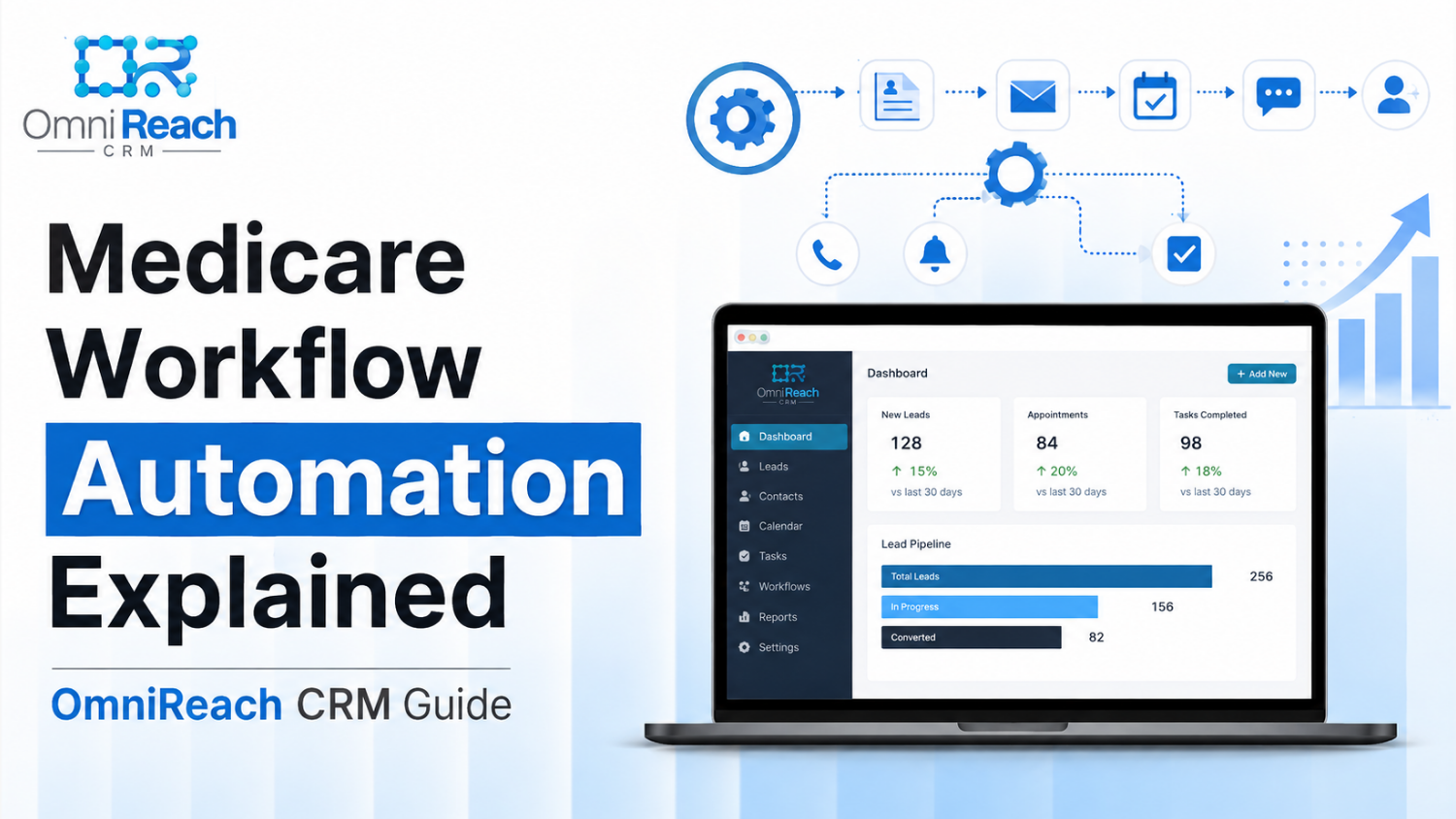
Quick Answer: Medicare workflow automation uses a CRM to organize repetitive follow-up tasks based on predefined rules. It can help an agency acknowledge a new inquiry, send appointment reminders, create follow-up tasks, and surface important dates without relying entirely on spreadsheets, sticky notes, or memory. The key is making sure every automated communication is used only where appropriate and follows applicable Medicare, carrier, privacy, TCPA, and FCC requirements.
- Medicare workflow automation can help organize leads, appointments, follow-up tasks, and client-service reminders.
- A CRM can reduce repetitive administrative work and make it easier to see where each prospect or client is in the process.
- AEP can create a significant increase in workload, making organized workflows especially useful.
- Automated calls and texts require careful attention to consent and applicable TCPA and FCC requirements.
- A CRM does not replace the licensed agent. It helps organize the administrative side of the process so the agent can focus on conversations and service.
- Medicare-related marketing and communications still need to follow applicable CMS and carrier requirements.
Somewhere right now, an agent is probably looking at a list of follow-up tasks and wondering which one needs attention first.
That is one of the problems Medicare workflow automation is designed to address.
The idea is fairly simple: instead of keeping every follow-up date, appointment, lead status, and reminder in your head, you establish a process inside your CRM. When a particular event occurs, the system can create the next task or, where legally and operationally appropriate, trigger an approved communication.
It is not about removing the agent from the process.
It is about making the process easier to manage.
What Does Medicare Workflow Automation Actually Mean?
Strip away the buzzwords and it comes down to one idea: your CRM handles predefined administrative steps according to rules you establish.
For example, a new inquiry might enter your CRM and automatically receive an internal notification. A scheduled appointment can generate a reminder task. A lead who has not responded can be placed into a follow-up queue for an agent to review.
The important distinction is that automation should not mean unrestricted automatic marketing.
Before an automated call, text, or email is sent, the communication needs to be evaluated under the rules that apply to the situation. That can include Medicare marketing requirements, carrier policies, privacy requirements, TCPA requirements, and FCC rules.
Here is what the difference can look like:
| Task | Manual Approach | Organized Workflow |
|---|---|---|
| New inquiry arrives | Agent checks multiple inboxes or forms | CRM records the inquiry and creates an action item |
| Follow-up is needed | Agent relies on memory or a spreadsheet | CRM creates a scheduled follow-up task |
| Appointment is booked | Agent manually tracks the appointment | CRM records the appointment and can generate approved reminders |
| Lead stops responding | Agent decides when to follow up | CRM places the lead into a predefined follow-up process for review |
| Annual client review | Agent keeps separate reminder lists | CRM can surface upcoming review dates |
| Reporting | Agent assembles information manually | CRM can organize activity into reports |
Technology is usually not the difficult part.
The real work is deciding which processes should be automated, which communications require consent or additional review, and which activities should always remain under an agent's control.
Why Does Medicare Lead Management Become More Difficult During AEP?
Anyone who has worked through the Annual Enrollment Period knows how quickly the calendar fills up.
AEP runs from October 15 through December 7. During that period, agents may be handling new inquiries, existing-client questions, appointments, applications, follow-ups, and a significant amount of administrative work.
That makes organization especially important.
A manual process might work reasonably well when an agent has a manageable number of prospects. As activity increases, however, it becomes easier to overlook a follow-up or lose track of where someone is in the process.
A CRM can help by giving the agent one place to see:
- New inquiries
- Scheduled appointments
- Outstanding follow-up tasks
- Previous communications
- Client review dates
- Lead sources
- Notes and activity history
The goal isn't to make every interaction automatic.
The goal is to make the workflow visible.
What About the Medicare Advantage Open Enrollment Period?
This is an area where automation requires particular care.
The Medicare Advantage Open Enrollment Period, or OEP, has specific marketing restrictions. CMS rules prohibit certain unsolicited marketing and specifically prohibit targeting MA enrollees based on their OEP status or using the OEP as an opportunity for additional sales.
That means an automated workflow should not simply identify someone as being in the OEP and launch a sales campaign encouraging them to change plans.
Instead, workflows should be designed around the individual's circumstances, applicable permissions, and the rules governing the communication.
Automation makes a process repeatable.
It does not make a prohibited activity permissible.
Which Parts of the Day Can a CRM Help Organize?
Think about the tasks you repeat every week.
Some involve actual conversations with people. Others involve remembering dates, entering information, sending approved administrative communications, or checking a task list.
Those second-category activities are often good candidates for workflow automation.
New Inquiry Management
When a new inquiry arrives, the CRM can immediately record the lead and notify the appropriate agent.
If an automated text or email is part of the process, the communication should only be sent when the applicable consent, contact, Medicare marketing, carrier, and privacy requirements have been satisfied.
That distinction matters.
"The CRM can send a text automatically" is a technology statement.
"The CRM can automatically text every Medicare lead" is a compliance risk.
Appointment Management
Appointment workflows are another practical use.
A CRM can record the appointment, create preparation tasks, and generate appropriate reminders.
For communications sent by text or automated calling technology, the agency should verify the applicable consent and TCPA/FCC requirements before activating the workflow.
The FCC's rules concerning robocalls and robotexts include prior express written consent requirements for covered marketing communications, including requirements concerning the seller to which the consent applies and the disclosure presented when consent is obtained.
So the workflow should be built around the consent process—not added afterward.
Follow-Up Task Management
This may be one of the simplest and safest uses of automation.
Instead of automatically contacting someone, the system can simply tell the agent:
Follow up with this lead today.
That keeps the technology working in the background while leaving the communication decision with the agent.
Annual Review Reminders
A CRM can also help agents keep track of existing-client service activities and annual review opportunities.
However, client communications that are intended to influence a beneficiary's decision to remain enrolled can fall within Medicare's marketing framework. The purpose and content of the communication therefore matter.
A reminder to an agent that a review is due is different from automatically sending a marketing message to a beneficiary.
That is another reason workflow design matters.
Is Medicare Automation Software Different From a Generic CRM?
It can be.
A generic CRM may give you contacts, pipelines, calendars, tasks, and automated messaging. Those tools can be useful, but Medicare agencies also have to consider the regulatory environment surrounding beneficiary communications.
When evaluating Medicare automation software, look for the ability to:
- Separate different lines of business
- Document lead source and contact history
- Track consent and communication preferences
- Create internal follow-up tasks
- Maintain an activity history
- Control who can access sensitive information
- Support appropriate security practices
- Disable or modify automated communications when circumstances change
- Maintain records needed for internal compliance monitoring
If the platform will store or transmit protected health information, determine whether HIPAA applies to your particular business and workflow and whether the technology provider has the appropriate safeguards and contractual arrangements in place.
Do not assume that a platform is compliant simply because its sales page uses the words "HIPAA compliant."
The agency remains responsible for understanding how the platform is being used and whether the overall process satisfies the requirements that apply to its business.
UnitedHealthcare's website and social-media guidance also emphasizes that agents are responsible for the compliance of their online activities, including when third parties are involved in development or maintenance.
What Should You Automate—and What Should Stay With the Agent?
This is probably the most important question.
Automation works best when it handles predictable administrative work while the agent remains responsible for decisions and conversations that require judgment.
Good Candidates for Automation
Depending on the workflow and applicable requirements:
- Internal lead notifications
- Task creation
- Appointment scheduling
- Internal reminders
- Pipeline-stage changes
- Administrative follow-up queues
- Reporting
- Record organization
- Approved appointment reminders
- Internal compliance checklists
Activities That Need More Care
These can involve additional compliance considerations:
- Automated marketing texts
- Automated marketing calls
- Messages about specific Medicare plans
- Communications about enrollment opportunities
- OEP-related communications
- Messages containing health information
- Communications using purchased or third-party lead data
- Retention-oriented marketing
- Communications involving UnitedHealthcare or other carrier-specific materials
The safest workflow is not necessarily the one with the most automation.
It is the one where every automated step has a clear purpose and a compliance review behind it.
What About Speed-to-Lead?
You will hear plenty of marketing advice about responding to a new lead within five minutes.
There is a reasonable operational lesson behind that advice: timely follow-up can help an agent respond while the prospect's inquiry is still fresh.
But avoid treating a particular response time as a guaranteed conversion strategy.
The research and training materials available to agents commonly emphasize prompt lead response, including five-minute response strategies.
That makes speed a useful operational metric.
It does not mean that contacting someone within five minutes guarantees a sale, that the first agent to respond will win the business, or that an automated message should be sent regardless of consent or applicable Medicare requirements.
A better goal is:
Respond promptly, document the interaction, and use a workflow that helps make sure appropriate follow-up does not get forgotten.
Can Automated Texting Be Used for Medicare Leads?
Potentially, but this is an area where agencies need to slow down before turning on a workflow.
The fact that someone entered a phone number into a form does not automatically answer every question about what communications may be sent, by whom, for what purpose, and using what technology.
The FCC materials supplied for this review address prior express written consent for covered robocalls and robotexts soliciting business. The consent requirements include a clear and conspicuous disclosure, application to a single seller at a time, and a logical and topical relationship between the communications and the website where consent was provided.
Your lead-generation process should therefore clearly document:
- What the consumer agreed to
- Who the consumer agreed to hear from
- What types of communications were disclosed
- Where and when consent was obtained
- How opt-outs are handled
- Which technology is being used
- Which carrier and organizational requirements apply
The TCPA also establishes restrictions involving automated telephone equipment and certain calls to wireless numbers, among other requirements.
In other words, don't build the automation first and figure out consent later.
Build the consent and compliance process into the workflow from the beginning.
What Should a Medicare CRM Do During AEP?
During AEP, simplicity becomes valuable.
A useful CRM workflow might give an agent a dashboard showing:
New → Contact Needed → Appointment Scheduled → Follow-Up → Application/Enrollment Process → Completed
The exact stages will depend on the agency's process.
The important part is that each stage has a defined meaning.
For example:
New: An inquiry has been received and needs attention.
Contact Needed: The agent needs to make an appropriate contact attempt.
Appointment Scheduled: A meeting has been arranged.
Follow-Up: The next action has been identified.
Completed: The workflow has reached its defined endpoint.
This is much easier to manage than searching through email, text messages, spreadsheets, and handwritten notes.
And if something needs human judgment, the CRM can create a task instead of making the decision automatically.
Frequently Asked Questions
Will automation make my Medicare follow-up sound robotic?
It can if it is poorly designed. The best use of automation is often to handle organization and timing while allowing the agent to have the actual conversation. Approved templates should be reviewed for accuracy, tone, and compliance before they are placed into an automated workflow.
Can I automatically text every Medicare lead?
Don't assume that you can. Automated texting requires review of consent, TCPA/FCC requirements, applicable Medicare marketing requirements, carrier rules, privacy requirements, and the source of the lead. The workflow should be designed around those requirements.
Is HIPAA compliance enough to make automated Medicare texting legal?
No. HIPAA, when applicable, addresses privacy and security requirements. It does not replace TCPA/FCC consent requirements or Medicare and carrier marketing rules. These are separate compliance considerations.
How quickly can a workflow be set up?
A basic workflow can sometimes be configured relatively quickly, but the timeline depends on the CRM, integrations, messaging registration, consent process, internal approvals, and complexity of the workflow. The goal should be to launch a workflow that is properly reviewed—not simply to launch as quickly as possible.
Does workflow automation replace the Medicare agent?
No. A CRM can organize tasks, information, and approved processes. It does not replace the agent's responsibility to communicate accurately, understand the beneficiary's situation, follow applicable requirements, and make appropriate decisions.
The Bottom Line
Medicare workflow automation is really about organization.
A good system can help an agent see which leads need attention, which appointments are coming up, which tasks are overdue, and where each prospect or client stands in the process.
But automation does not eliminate compliance responsibilities.
An automatic text is still a communication. An automated marketing sequence is still marketing. And a CRM does not turn a restricted Medicare activity into an unrestricted one.
The strongest workflow is therefore not necessarily the one that sends the most messages.
It is the one that helps the agent stay organized while putting the right compliance controls around every communication.
If you are preparing for AEP, this is a good time to look at the repetitive parts of your process and ask a simple question:
Which tasks need my judgment, and which tasks simply need a reliable system?
That distinction can help you build a workflow that saves administrative time without losing the personal side of Medicare sales and service.
Ready to Explore Medicare Workflow Automation?
If you are evaluating a CRM for Medicare lead management, start by looking beyond the number of automations the platform offers.
Consider whether it gives you the visibility, documentation, consent controls, task management, security features, and workflow flexibility your agency needs.
Then build your automation around your compliance requirements—not the other way around.
OmniReach can be evaluated as one option for agencies looking to organize Medicare, life, and final expense workflows. Before activating automated communications, review the specific workflow, consent process, carrier requirements, and applicable federal and state requirements for your business.
Ready to Automate Your Medicare Workflows?
OmniReach CRM combines speed-to-lead automation, compliance safeguards, and pipeline tracking built specifically for Medicare producers. Book a personalized demo today.
Book a Free Demo →