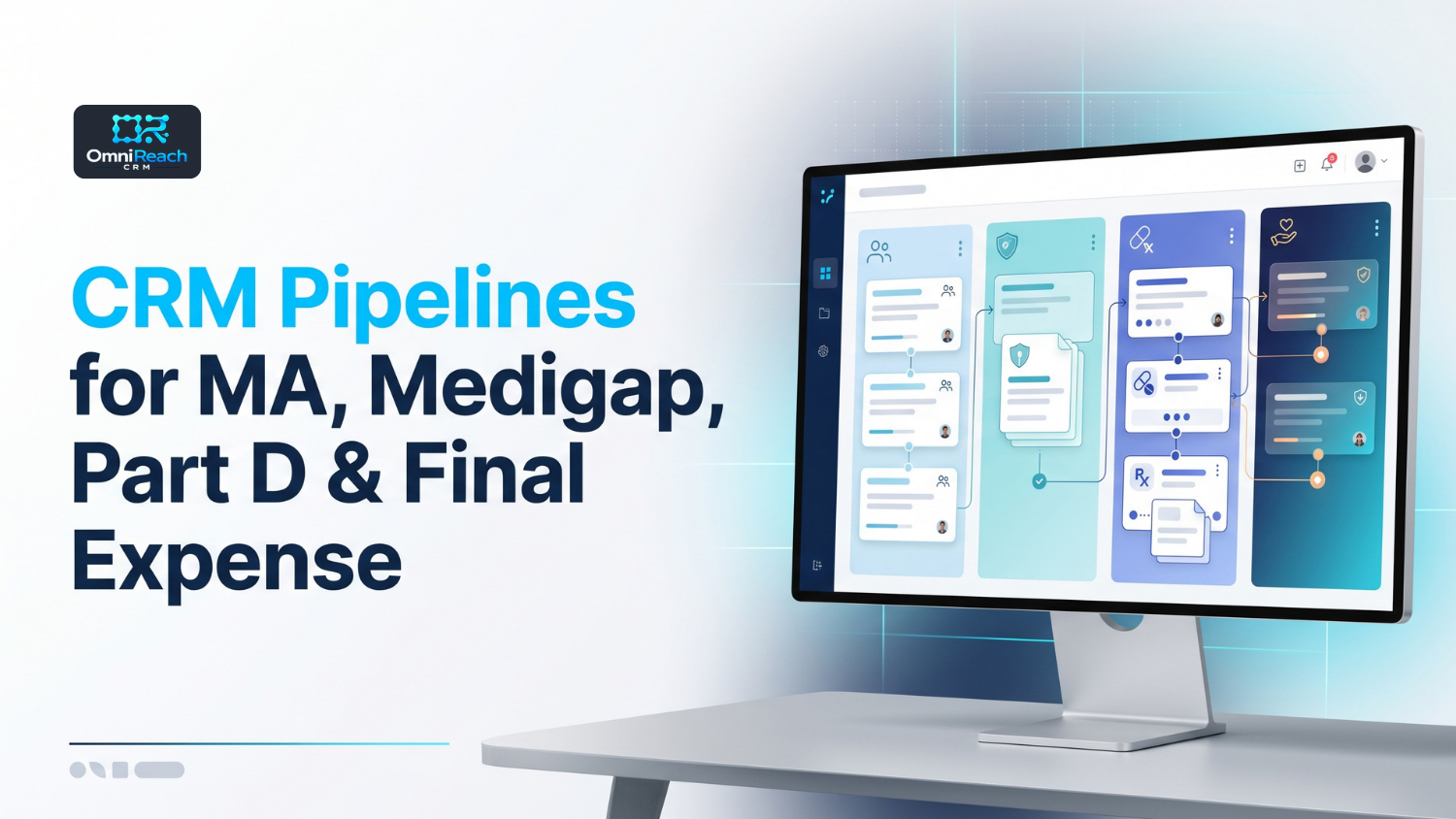
Separate CRM pipelines can help insurance agencies manage products that have different sales steps, documentation, timing, and follow-up requirements. Medicare Advantage and Part D follow Medicare enrollment rules, while Medicare Supplement insurance has its own federal and state requirements, including applicable enrollment and guaranteed-issue rights. Final expense is life insurance, not a Medicare product. CMS prohibits marketing non-health-related products during a Medicare personal marketing appointment. For each pipeline, define stages, entry and exit criteria, required fields, user permissions, and appropriate automation. Keep final expense activity separate from Medicare marketing appointments, and do not assume that permission for one product or communication authorizes outreach about another. A CRM can organize the workflow, but agents and agencies remain responsible for compliance.
- Separate pipelines when products have different stages, timing, documentation, or compliance considerations.
- Medicare Advantage and Part D have overlapping but not identical enrollment rules; the MA Open Enrollment Period is not a general enrollment period for Part D.
- Medicare Supplement insurance follows different enrollment and underwriting rules, including federal and state protections.
- An SOA must be agreed upon and recorded before a personal Medicare marketing appointment, and the products discussed must stay within the documented scope.
- CMS prohibits marketing non-health-related products, such as annuities, during a Medicare personal marketing appointment.
- Final expense is life insurance and should be handled through a separate, appropriately documented interaction.
- Define entry and exit criteria for each pipeline stage.
- Test fields, permissions, reporting, and automation before using the pipelines with live contacts.
How to Set Up Separate CRM Pipelines for Medicare Advantage, Medigap, Part D, and Final Expense
Many agents begin with one CRM pipeline and a handful of generic stages. That setup may work at first, but it becomes harder to manage when the agency sells several products.
“Appointment scheduled” might mean a Medicare Advantage appointment with an SOA on file, a Medicare Supplement discussion, or a separate life insurance conversation. If every product shares the same stages and automation, reporting can become confusing and the wrong follow-up may trigger.
Separate pipelines can make each process easier to understand. Here is how to structure them while keeping Medicare marketing activity distinct from final expense activity.
This article provides general information, not legal advice. Medicare, Medicare Supplement, life insurance, carrier, and state requirements differ. Confirm your workflows with your compliance team, carriers, and applicable state regulators before implementation.
Why One Pipeline May Not Be Enough
Different products can have different enrollment steps, documentation, and follow-up requirements.
| Product | What influences timing | Workflow considerations |
|---|---|---|
| Medicare Advantage (MA) | Initial Enrollment Period, Annual Election Period, and applicable Special Enrollment Periods; the MA Open Enrollment Period has its own limited use | Medicare marketing requirements, SOA before a personal marketing appointment, plan comparison, and enrollment documentation |
| Part D (PDP) | Initial and Annual Election Periods and applicable Special Enrollment Periods | Drug coverage evaluation, plan comparison, and enrollment documentation; do not apply MA-only enrollment rules to PDP |
| Medicare Supplement (Medigap) | Federal and state enrollment protections, guaranteed-issue rights, and underwriting rules | Eligibility, state-specific requirements, carrier underwriting, and application status |
| Final expense | Life insurance application and underwriting process | Separate life insurance discussion, required disclosures, application, underwriting, and policy status |
The MA Open Enrollment Period, which generally runs January 1 through March 31, is not a general opportunity for people to enroll in or switch standalone Part D plans. Build separate product logic rather than copying every MA date trigger into the PDP pipeline.
Medigap also has a distinct enrollment framework. The federal Medigap Open Enrollment Period is generally a one-time six-month period that begins when a person is at least 65 and enrolled in Medicare Part B. Federal and state guaranteed-issue protections may provide additional rights in certain circumstances. State rules and individual circumstances matter, so do not rely on a generic CRM date trigger to determine eligibility.
The Rule That Separates Medicare and Final Expense
CMS rules restrict marketing non-health-related products during a Medicare personal marketing appointment. The Medicare Advantage regulation specifically identifies annuities as an example of a non-health-related product that may not be marketed during the appointment. Part D has parallel marketing requirements.
Final expense is life insurance, not a Medicare health product. Treat a final expense discussion as a separate interaction rather than adding it to a Medicare appointment or automatically introducing it during a Medicare plan discussion.
A separate pipeline is a useful operational safeguard, but a separate pipeline by itself does not establish compliance. The agency should define how a separate interaction is initiated, documented, and handled under applicable contact, consent, carrier, and state requirements.
Health-related products are different. The products discussed during a Medicare personal marketing appointment must remain within the scope agreed to and recorded in the SOA. If additional health-related product lines are to be discussed, follow the applicable separate-SOA requirements.
Step 1: List Every Product You Sell
Start with an inventory of the products your agency offers. For example:
- Medicare Advantage
- Prescription Drug Plans
- Medicare Supplement insurance
- Final expense life insurance
- Other life or health products, if applicable
For each product, document:
- How a prospect enters the process.
- What permission or documentation is needed before contact or discussion.
- Which appointment or sales steps apply.
- What information is required for an application.
- What ends the sales process.
- What follow-up is appropriate after the application or sale.
If two products genuinely share the same stages and requirements, they may be able to use a common pipeline with clear product identification. If their processes differ, separate pipelines are usually easier to manage.
Step 2: Build Stages From Real Sales Steps
Avoid generic stages that do not tell an agent what has happened. Define each stage based on an observable event, and document what must be true before a record can enter or leave it.
The following are example structures. Adapt them to your actual carrier and agency procedures.
| Medicare Advantage pipeline | Part D pipeline | Medigap pipeline | Final expense pipeline |
|---|---|---|---|
| New inquiry | New inquiry | New inquiry | New inquiry |
| Contact permission reviewed | Contact permission reviewed | Contact permission reviewed | Contact permission reviewed |
| Appointment preparation | Appointment preparation | Appointment preparation | Separate life insurance appointment |
| SOA recorded, where required | SOA recorded, where required | Carrier or agency requirements checked | Needs and eligibility discussion |
| Appointment completed | Appointment completed | Appointment completed | Quote or illustration reviewed, as permitted |
| Plan comparison | Drug coverage review | Eligibility and underwriting review | Application started |
| Application submitted | Application submitted | Application submitted | Application submitted |
| Enrollment confirmation | Enrollment confirmation | Policy issued or declined | Underwriting decision |
| Post-enrollment service | Post-enrollment service | Policy service | Policy delivery and service |
For MA and PDP, the SOA stage should be a gate before a personal marketing appointment when required. Do not make the stage label imply that the same SOA rules apply to every Medigap-only or final expense interaction. Follow CMS and carrier requirements for the products actually being discussed.
Step 3: Add Required Fields to Each Pipeline
A pipeline is only useful when its records contain reliable information. Create fields that reflect the requirements of each product and the records your agency needs to maintain.
| Field | MA | PDP | Medigap | Final expense |
|---|---|---|---|---|
| Lead source and campaign | Yes | Yes | Yes | Yes |
| Contact permission record | As applicable | As applicable | As applicable | As applicable |
| Permission method, date, and scope | Recommended recordkeeping | Recommended recordkeeping | Recommended recordkeeping | Recommended recordkeeping |
| SOA date and product scope | Before personal marketing appointment | Before personal marketing appointment | Follow applicable CMS/carrier requirements when part of a Medicare marketing appointment | Not a Medicare SOA |
| Enrollment period or eligibility basis | Yes | Yes | Applicable eligibility and guaranteed-issue basis | Not applicable |
| Effective date | Yes | Yes | Yes, where applicable | Policy effective date |
| Drug information | Relevant when evaluating coverage | Relevant | Not generally a pipeline requirement | Not applicable |
| Carrier and product | Yes | Yes | Yes | Yes |
| Application date and status | Yes | Yes | Yes | Yes |
| Underwriting status | Not generally applicable to MA enrollment | Not generally applicable to PDP enrollment | Where applicable | Where applicable |
| Policy or enrollment status | Yes | Yes | Yes | Yes |
| Service or review date | As appropriate | As appropriate | As appropriate | As appropriate |
Do not collect sensitive information simply because a CRM offers a field for it. Limit access to information that the agency needs, and apply appropriate privacy, security, retention, and carrier procedures. HIPAA applicability depends on the organization’s role and the information involved.
Step 4: Attach Automation to the Correct Pipeline
Automation should reflect the product and the stage. Avoid using one set of triggers for every product.
Medicare Advantage
- Appointment reminders when the communication is permitted.
- SOA workflow steps before a personal marketing appointment.
- Enrollment-period prompts based on applicable eligibility and CMS rules.
- Application status follow-up.
- Post-enrollment service reminders.
Part D
- Appointment preparation and SOA steps when required for a personal marketing appointment.
- Drug coverage review workflow.
- Applicable enrollment-period prompts.
- Application status and service follow-up.
Do not copy the MA Open Enrollment Period trigger into a general PDP enrollment workflow.
Medigap
- Eligibility and applicable guaranteed-issue review.
- State and carrier underwriting steps.
- Application status follow-up.
- Policy issue and service reminders.
Final expense
- A separate life insurance inquiry and appointment workflow.
- Appropriate life insurance disclosures and application steps.
- Underwriting status follow-up.
- Policy delivery and service reminders.
For all pipelines, configure contact permissions, opt-outs, and communication preferences as part of the workflow. A CRM should not send a message simply because a record has entered a stage. The communication must also be permitted.
When evaluating Medicare automation software, test each pipeline independently. Confirm that a trigger in one pipeline cannot accidentally start a sequence intended for another product.
Step 5: Keep Medicare and Final Expense Activity Separate
This is an important operational control.
- Avoid automatic cross-creation: Do not automatically create a final expense sales opportunity merely because someone entered a Medicare Advantage pipeline.
- Use a separate interaction: Keep a final expense discussion distinct from a Medicare personal marketing appointment.
- Document the reason for the interaction: Record how the separate life insurance discussion was initiated and what the consumer requested.
- Review contact permission: Permission to contact someone about one product or purpose should not automatically be treated as permission for every other product or communication.
- Keep reporting separate: Measure activity, applications, and results by product rather than combining unrelated sales processes.
- Train agents on the distinction: A separate CRM pipeline does not authorize an agent to introduce non-health products during a Medicare marketing appointment.
Ask your carriers and compliance team to review any proposed cross-product workflow before enabling it.
Step 6: Set User Permissions
Not every team member needs access to every record or field.
Consider the following:
- Agents should have access appropriate to the contacts and opportunities they manage.
- Managers may need reporting across teams without necessarily needing unrestricted access to every sensitive field.
- Compliance personnel may need access to relevant records for oversight and audits.
- Administrative users should have only the access needed to perform their assigned duties.
Ask the CRM vendor to demonstrate the actual role and permission settings. Confirm how access works for contact records, attachments, communication history, and sensitive fields.
Step 7: Test With Sample Leads
Before moving live contacts into the new structure, test each pipeline with sample records.
- Does each stage have a clear entry and exit rule?
- Are required fields available and configured correctly?
- Do SOA steps appear where they are required?
- Are MA, PDP, and Medigap timing rules kept distinct?
- Does a Medicare record stay out of final expense automation unless a separate, appropriate interaction is created?
- Do appointment changes update pending reminders?
- Are communication permissions and opt-outs respected?
- Can managers report on each product separately?
- Can the agency retrieve the records needed for compliance review?
Fix the workflow before using it with a large number of contacts. A small test can reveal a stage or automation problem before it affects live records.
Step 8: Review the Pipelines Regularly
Products, carrier procedures, regulations, and agency processes can change. Schedule a periodic review and update the CRM when necessary.
Review:
- Whether agents use stages consistently.
- Whether any stage has become a catch-all.
- Whether required fields are being completed.
- Whether automations still match current processes.
- Whether contact permissions and opt-outs are being handled correctly.
- Whether reporting reflects the actual sales process.
- Whether carrier and regulatory updates require a workflow change.
For updates affecting Medicare marketing, review the CMS 2027 Final Rule guide.
Quick Setup Checklist
| Task | Complete |
|---|---|
| Inventory all products and document their sales steps | ☐ |
| Decide which products need separate pipelines | ☐ |
| Define stage entry and exit criteria | ☐ |
| Configure product-specific required fields | ☐ |
| Add SOA workflow steps where applicable | ☐ |
| Separate Medicare and final expense interactions | ☐ |
| Configure permissions by role | ☐ |
| Review contact permissions and opt-out handling | ☐ |
| Test each pipeline with sample records | ☐ |
| Check reports and schedule periodic reviews | ☐ |
Common Pipeline Setup Mistakes
- Using one pipeline for every product: Different processes become difficult to track.
- Creating vague stages: Labels such as “In Progress” do not explain what has happened.
- Treating every product as subject to the same SOA process: Apply the rules to the appointment and products involved.
- Copying MA enrollment-period automation into PDP: The enrollment periods are not identical.
- Automatically adding final expense to Medicare appointments: Non-health products must not be marketed during a Medicare personal marketing appointment.
- Treating a CRM field as proof of permission: Store the actual record and supporting evidence, not just a checkbox.
- Assuming automation makes the process compliant: Software can organize steps, but it cannot replace agent and agency responsibilities.
- Skipping testing: Incorrect triggers can affect multiple contacts before anyone notices.
Conclusion
Separate CRM pipelines can make it easier to manage Medicare Advantage, Part D, Medicare Supplement, and final expense activity. The goal is not to create more stages. It is to make each stage meaningful, keep product-specific requirements clear, and prevent an automation built for one process from running in another.
Start with the actual steps your agency follows. Add the fields and permissions each process needs, keep Medicare and final expense interactions distinct, test the automations, and review the structure regularly.
Build Pipelines Around the Products You Sell
OmniReach CRM describes prebuilt pipelines for insurance workflows, configurable stages and automations, a unified inbox, and HIPAA-related infrastructure with a Business Associate Agreement available. In a demonstration, ask how separate product pipelines, required fields, user permissions, and automation triggers work in the configuration your agency intends to use.
A CRM can help organize records and workflows. It does not determine whether a particular marketing activity, contact, or product discussion is permitted. Agents and agencies remain responsible for CMS, TCPA/FCC, state, and carrier requirements.
Explore OmniReach CRM for insurance agencies, review pricing, or book a demo to discuss your pipeline structure.
Build a workflow where each product has a clear process and every stage has a purpose. Book a Demo
Frequently Asked Questions
1. Do I need a separate CRM pipeline for every insurance product?
Not necessarily. Separate pipelines are useful when products have different stages, documentation, timing, or follow-up requirements. If two products genuinely share the same process, a shared pipeline with clear product identification may work. Medicare Advantage, Part D, Medigap, and final expense generally have enough differences to warrant separate workflows.
2. Can I discuss final expense during a Medicare appointment?
CMS rules prohibit marketing non-health-related products during a Medicare personal marketing appointment. Final expense is life insurance, not a Medicare health product. Keep the discussion separate from the Medicare appointment and follow applicable life insurance, contact, carrier, and state requirements.
3. Does Medicare Supplement follow the same enrollment periods as Medicare Advantage?
No. Medigap has its own enrollment framework, including a federal six-month open enrollment period for eligible individuals and certain guaranteed-issue protections. State rules and individual circumstances can affect eligibility and underwriting. Do not use MA enrollment dates as a substitute for checking Medigap requirements.
4. Can one contact have opportunities in more than one pipeline?
That depends on the CRM. Ask whether a contact can have separate opportunities, stage histories, product records, and communication records without duplicating or confusing the underlying contact information. Test how reporting works when one person has more than one opportunity.
5. Does a CRM make my Medicare sales pipeline compliant?
No. A CRM may help organize records, document workflow steps, and manage reminders. The agent and agency remain responsible for following CMS, TCPA/FCC, state, and carrier requirements. Verify the system’s actual capabilities and have your compliance team review the configuration.
Put Your Insurance Pipelines on Autopilot with Full Compliance
OmniReach CRM offers prebuilt pipelines for Medicare Advantage, Part D, Medigap, and life insurance, configurable stages, automated follow-ups, and HIPAA-compliant communication tracking. Book a demo to see how clean product separation works in practice.
Book a Demo →